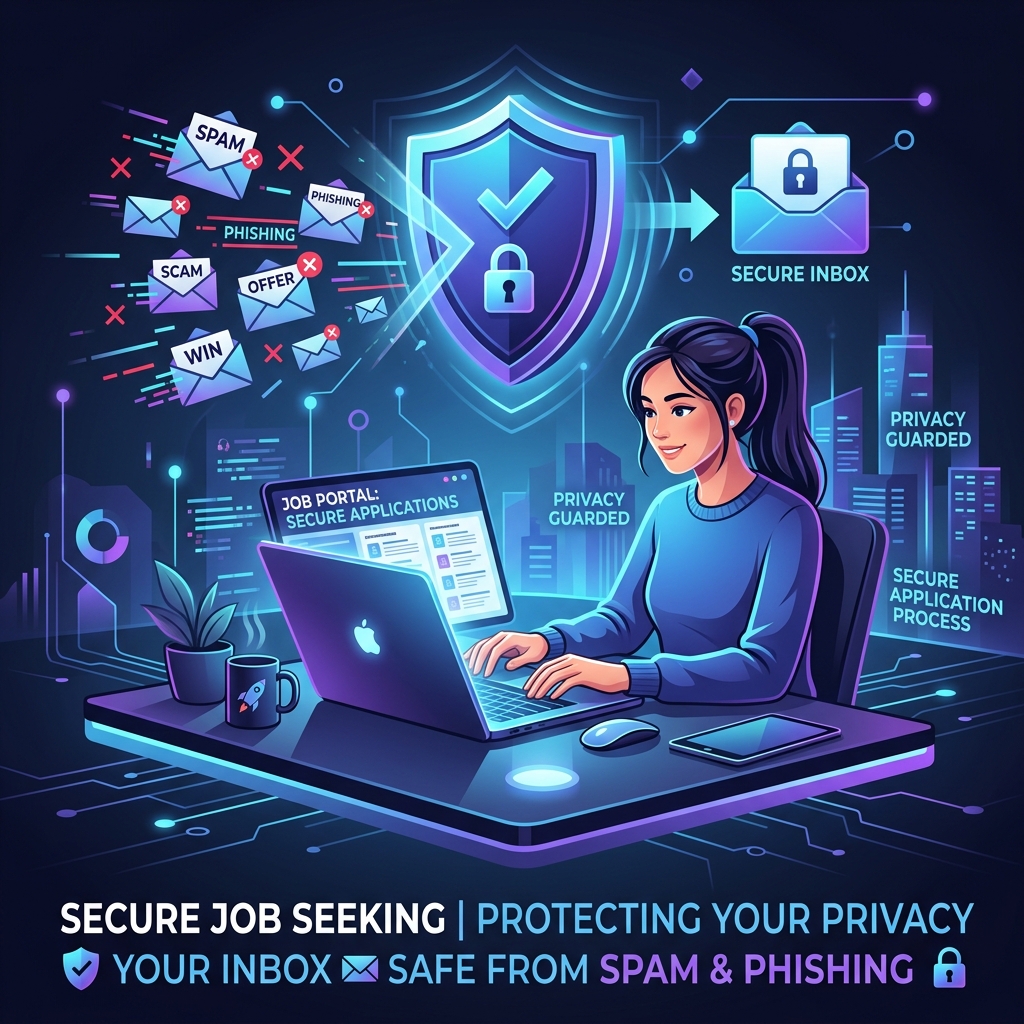
Searching for a new job is a demanding endeavor. But one of the most frustrating side effects of submitting your resume across multiple job boards, recruitment platforms, and corporate career portals is the sudden surge of unwanted marketing spam, cold sales pitches, and recruiter outreach flooding your personal inbox.
Every time you upload a resume or fill out an inquiry form on an unverified platform, your email address is exposed to automated scraping bots and third-party list aggregators. Learning how to manage your email strategy during an active job search helps keep your primary communication channels organized and spam-free.
Why Job Portals Often Lead to Inbox Spam
When you register on broad recruitment aggregators or niche job boards, contact details can be circulated widely:
- Resume Database Scraping: Automated tools crawl public applicant boards to harvest candidate contact information for commercial lists.
- Marketing Reselling: Some free job aggregation platforms monetize by sharing user contact lists with educational vendors and resume-writing services.
- Relentless Alert Sequences: Many portals automatically enroll applicants into daily automated job alert feeds and partner newsletters.
- Phishing & Employment Scams: Fraudulent employment listings target job seekers with fake interview invitations designed to solicit sensitive personal credentials.
A Three-Tier Email Strategy for Job Seekers
To balance career accessibility with personal privacy, adopt this structured email approach:
1. Ephemeral Inboxes for Site Evaluation and Salary Tools
Before submitting full personal details to an unfamiliar career portal or salary benchmark calculator, use a temporary inbox like 30mail.in. This lets you inspect company reviews or download career guides without subjecting your permanent email to ongoing marketing broadcasts.
2. A Professional Secondary Email for Job Applications
For actual resume submissions to legitimate hiring companies, set up a dedicated secondary address (such as firstname.lastname.careers@gmail.com or a custom domain address). Keep this address active throughout your interviews and onboarding period while maintaining a clean boundary from your personal accounts.
3. Protect Sensitive Information Until Final Stages
Legitimate employers will never request your bank details, national ID numbers (SSN, Aadhaar, PAN), or passport copies during early application rounds. Only provide verifiable documentation once you have received a formal, authenticated job offer.
Primary Email vs. Dedicated Career Email
| Aspect | Primary Personal Inbox | Dedicated Career Alias |
|---|---|---|
| Spam Risk | High — Continuous promotional volume | Controlled — Easy to filter or deactivate after search |
| Security Separation | Personal banking and family emails mixed | Completely isolated from sensitive accounts |
| Focus | Cluttered with personal notifications | 100% focused on recruiter correspondence |
| Post-Hiring Resolution | Difficult to remove from recruitment lists | Archive or forward essential records easily |
Best Practices for Communicating with Recruiters
- Verify Sender Domains: Ensure recruiter emails arrive from authenticated company domains (e.g.,
@company.com) rather than generic free webmail accounts. - Use Professional Handles: When creating a secondary career address, use clean variations of your name rather than informal pseudonyms.
- Filter and Label Applications: Set up inbox filters to organize incoming messages by company name so urgent interview schedules are never missed.
Conclusion
Protecting your personal inbox while job hunting ensures you can focus on landing your next role without sifting through unsolicited marketing. By utilizing temporary addresses for exploratory site visits and a dedicated career alias for applications, you keep your personal digital footprint secure.
📊 How Temporary Email Works: Step-by-Step Architecture Chart
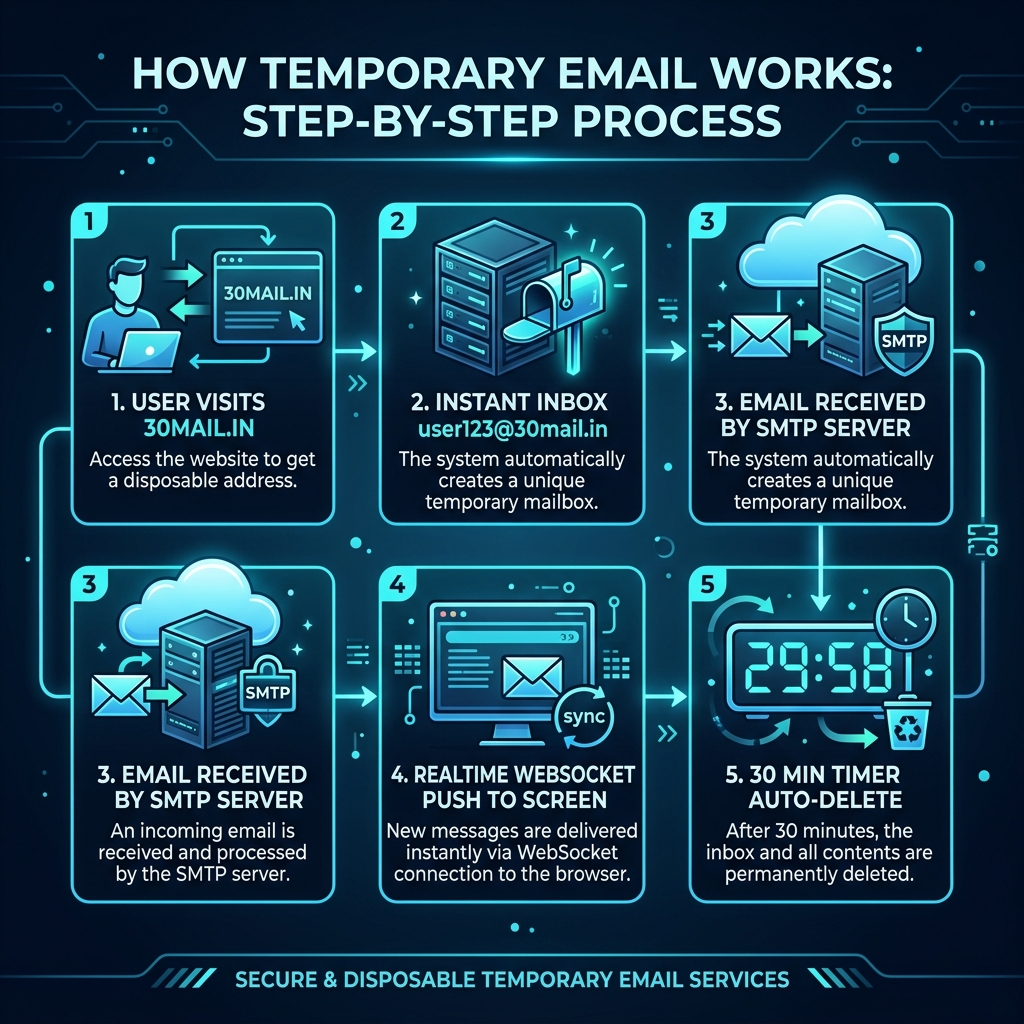
Architecture overview illustrating real-time WebSocket delivery and automatic memory deletion cycles at 30mail.in.
Frequently Asked Questions
No. As long as your email handle is professional and you respond promptly, employers care about your qualifications.
Keep your dedicated job search email active throughout your application cycle and onboarding period.